

Convert SQL to ER Diagram Online — Free ERD Generator

Need to turn a SQL script into an ER diagram (ERD)? Paste your SQL — CREATE TABLE / ALTER TABLE statements with foreign keys — and get an entity-relationship diagram in seconds.
Try it now — paste your SQL into Gudu SQLFlow and click the ER-model icon (free)
SQLFlow is capable to convert SQL to Entity-Relation(ER) Diagram as well as to visualize the relations between tables and fields so that you can quickly understand the design model of the database and conduct efficient team communication.
Two Sources of Visualization ER Model
- From SQL Script
SQLFlow can analyze Database creation SQL script and visualize the provided scripts. In order to create ER diagram, user need to provide SQL statements such as create table or alter table and include foreign keys.
- From Database
You can simply make SQLFlow connect to your database for the ER diagram. SQLFlow will automatically retrieve metadata from the database and generate the ER diagram.
Three Ways to Visualize ER Model
Let’s now take a look on how exactly to use Gudu SQLFlow.
Gudu SQLFlow provides three ways:
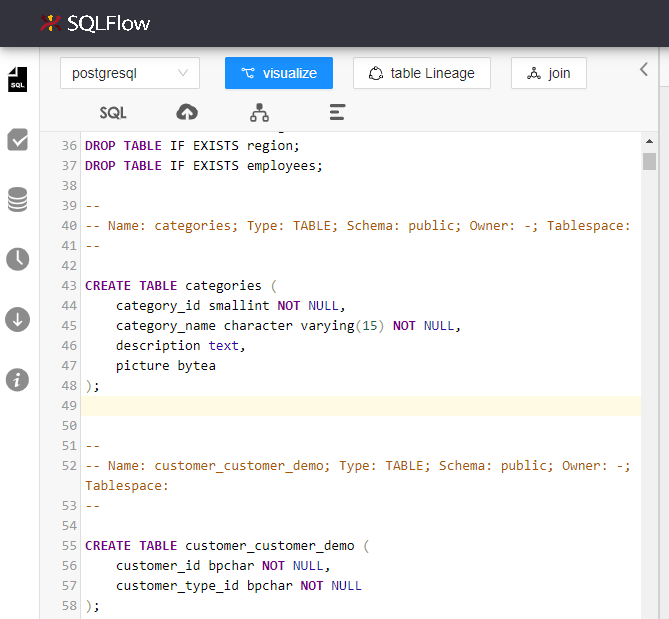
1. Paste SQL Statements into the SQLText Editor
Directly paste your SQL statements into the SQLText Editor
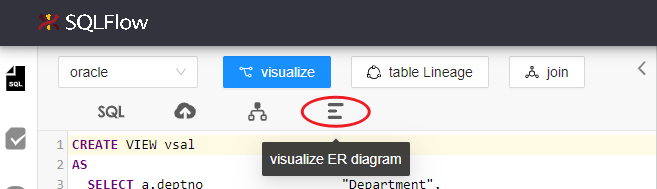
Click the icon of the ER model and you will have the correspond ER diagram instantly.
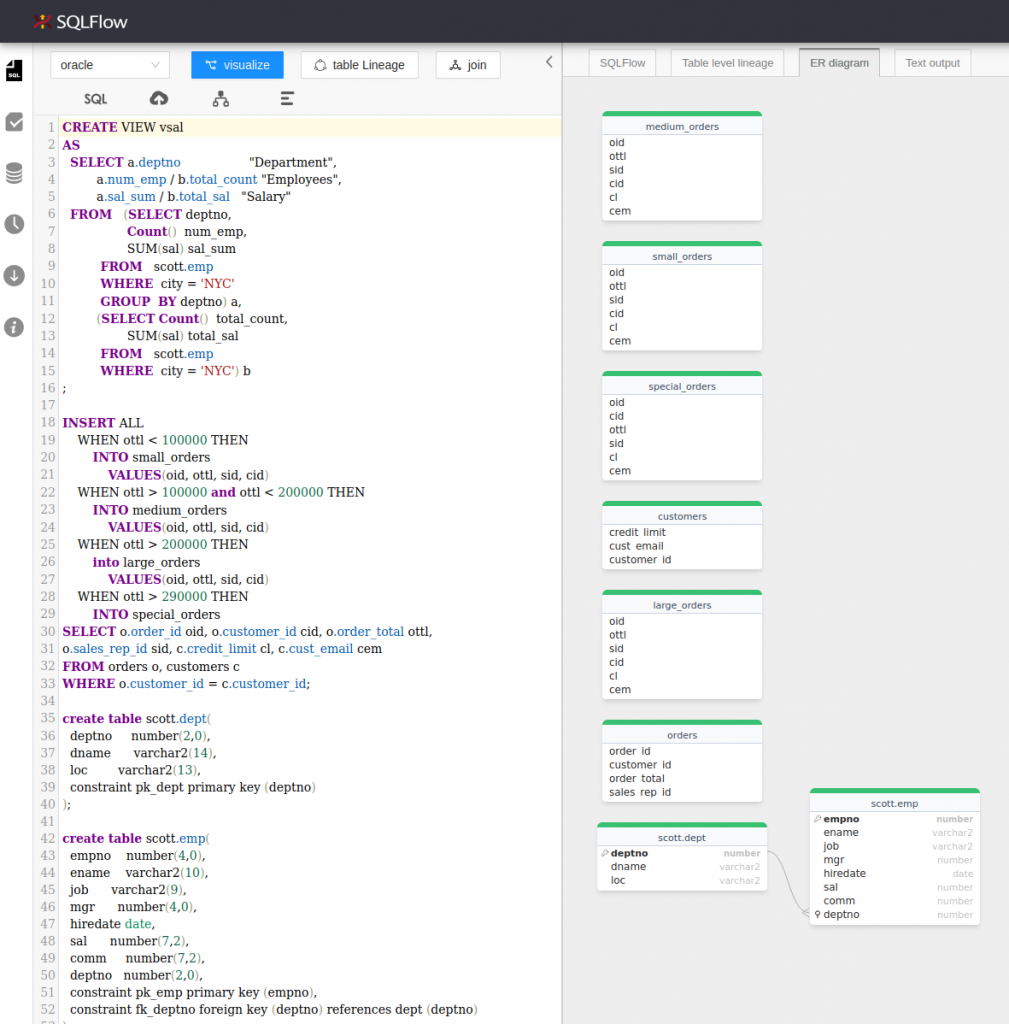
Result:
2. Upload SQL files
Click upload sql
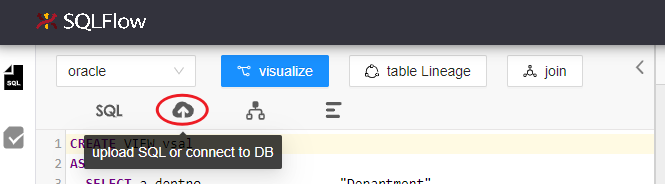
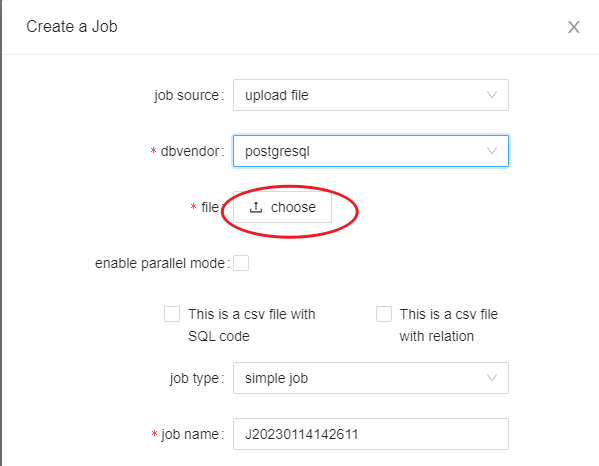
Choose upload file as the job source and choose the SQL type in the dbvendor. Upload file and create the Job.
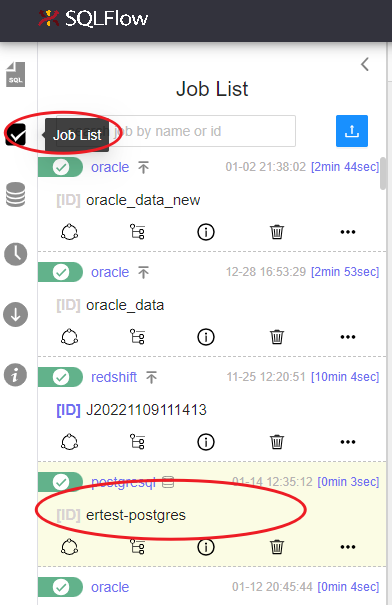
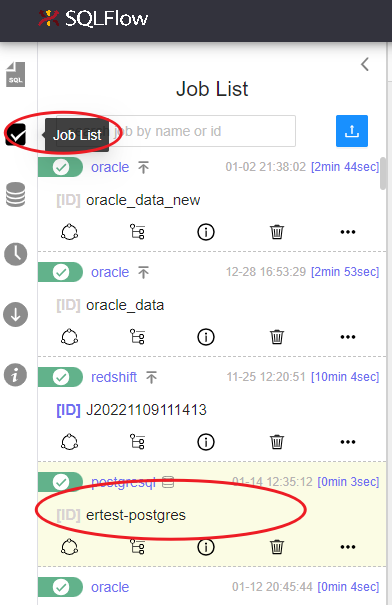
Choose the job in the job list panel when it is complete.
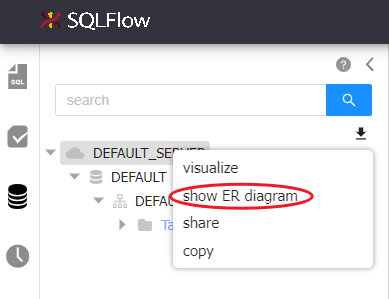
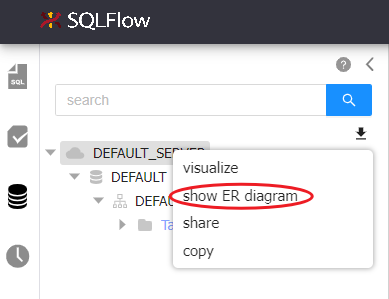
Click show ER diagram in the schema explorer and check the result.
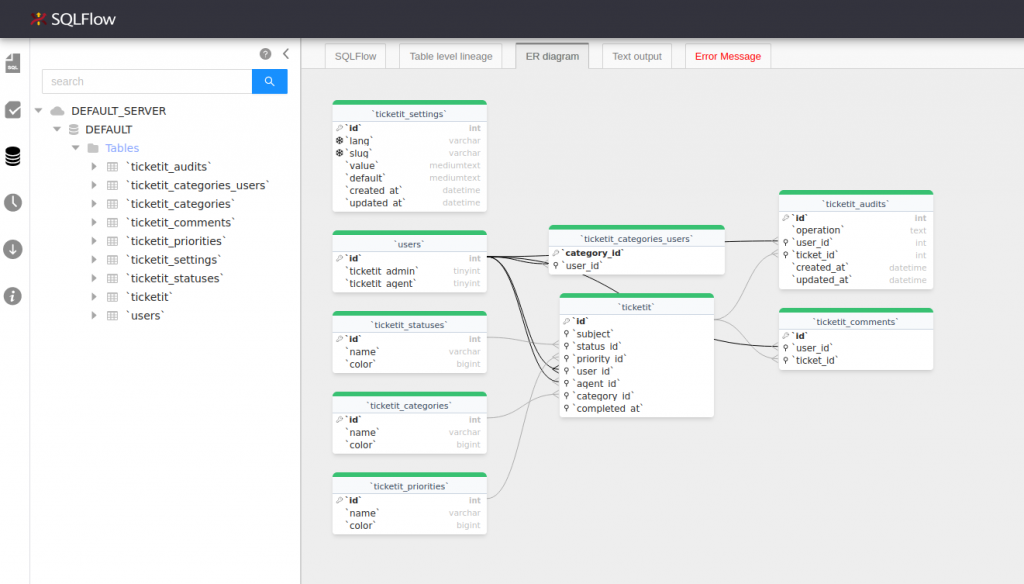
Result:
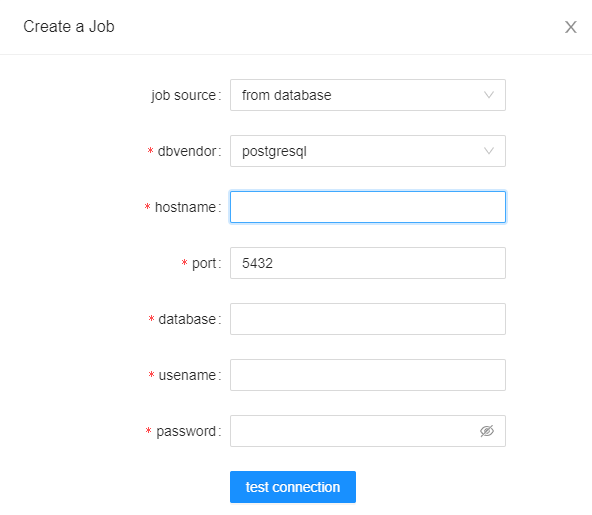
3. Connect to DB
Connect to your database for the ER diagram, check following table for the supported database types and the permissions/roles needed:
| Database Type | Permissions/Roles required | Comment |
| MySQL | SELECT | ER Diagram needs DB user to have SELECT permission |
| PostgreSQL | SELECT | ER Diagram needs DB user to have SELECT permission |
| SQL Server | SELECT | ER Diagram needs DB user to have SELECT permission |
| Oracle | DBA | To generate ER Diagram from Oracle database, input user must has DBA role , otherwise ORA-01031 will be returned. |
Hint: Other databases are not in current version’s support list and will be supported in our future release
Choose the job in the job list panel when it is complete.
Click show ER diagram in the schema explorer and check the result.
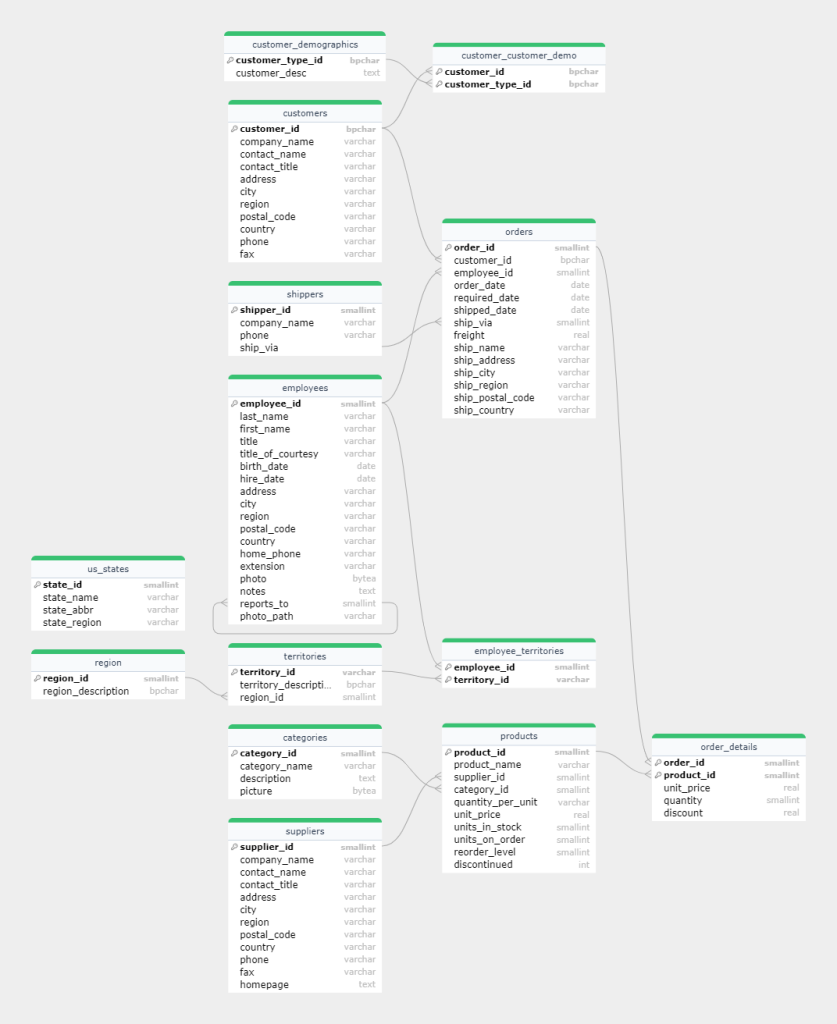
E-R Diagram
The following capture is the ER diagram of Northwind database generated by Gudu SQLFlow. We will have tables, fields, field types and different kinds of key which are under different icons in the diagram.
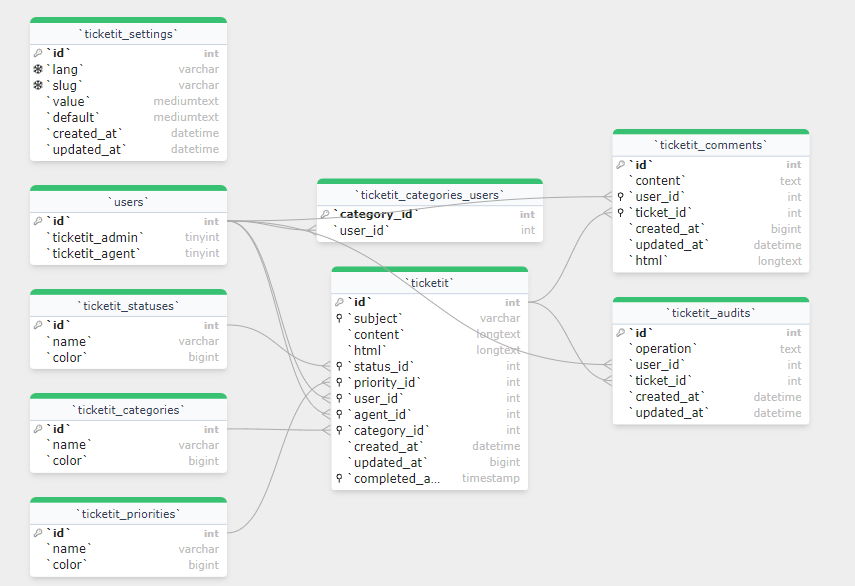
The following ER diagram is a simple help-desk tickets system generate by Gudu SQLFlow from the SQL file.
SQL Requirements to Create ER Diagram
In order to create ER diagram, foreign keys should be included in the provided SQL files. Other keys such as primary key, index key or unique key are not mandatory.
A. Foreign key
Foreign key is to build ER relations between different tables. Statements such as create table and alter table usually contain this information.
1. Foreign key in create table
CREATE TABLE SCOTT.EMP
   (
	EMPNO NUMBER(4,0),
	ENAME VARCHAR2(10),
	DEPTNO NUMBER(2,0),
	CONSTRAINT PK_EMP PRIMARY KEY (EMPNO),
	FOREIGN KEY(DEPTNO) REFERENCES SCOTT.DEPT(DEPTNO)
   );
2. Foreign key in alter table
ALTER TABLE SCOTT.EMP ADD CONSTRAINT FK_DEPTNO FOREIGN KEY ("DEPTNO")
	  REFERENCES SCOTT.DEPT ("DEPTNO") ENABLE;
B. Primary key, index key, unique key
Primary key can be specified in create table and alter table statement.
CREATE TABLE SCOTT.EMP
   (
	EMPNO NUMBER(4,0),
	ENAME VARCHAR2(10),
	DEPTNO NUMBER(2,0),
	CONSTRAINT PK_EMP PRIMARY KEY (EMPNO),
	FOREIGN KEY(DEPTNO) REFERENCES SCOTT.DEPT(DEPTNO)
   );
ALTER TABLE SCOTT.DEPT
ADD CONSTRAINT dept_pk PRIMARY KEY (DEPTNO);Icon of primary key in ER diagram

2. Unique key
Unique key can be specified in create table and alter table statement.
CREATE TABLE SCOTT.DEPT
   (
    DEPTNO NUMBER(2,0),
	DNAME VARCHAR2(14),
	LOC VARCHAR2(13),
	CONSTRAINT constraint_name UNIQUE (DEPTNO)
   ) ;
ALTER TABLE SCOTT.DEPT
ADD CONSTRAINT constraint_name UNIQUE (DEPTNO); Icon of unique key in ER diagram

3. Index key
Index key can be specified using create index statement.
-- Oracle
CREATE INDEX SCOTT.DEPT_INDEX
ON SCOTT.DEPT (LOC);
Or alter table add index
-- MySQL
ALTER TABLE
    `ticketit` ADD INDEX `ticketit_subject_index`(`subject`);
Icon of index key in ER diagram

key word: erd generator from sql, sql code to er diagram, sql to erd, generate er diagram from sql online, sql to er diagram online, sql to er diagram
FAQ: SQL to ER Diagram
How do I convert SQL to an ER diagram online?
Paste your SQL script (CREATE TABLE and ALTER TABLE statements with foreign keys) into Gudu SQLFlow’s editor and click the ER-model icon. The entity-relationship diagram is generated instantly in your browser — no database connection required.
Can I generate an ERD from just a CREATE TABLE script?
Yes. SQLFlow analyzes the DDL itself: tables, columns, primary keys, and foreign-key constraints become entities and relationships. If your script has no explicit foreign keys, add ALTER TABLE … ADD FOREIGN KEY statements so the relationships can be drawn.
Is the SQL to ER diagram tool free?
Yes — pasting SQL and generating the ER diagram in Gudu SQLFlow Cloud is free. Connecting directly to a live database for automatic metadata retrieval is part of the premium and on-premises editions.
Which databases are supported?
All major dialects, including SQL Server, Oracle, MySQL, PostgreSQL, Snowflake, BigQuery, Redshift, Teradata, Hive and more than 20 others — the same engine that powers the Instant SQL Formatter.