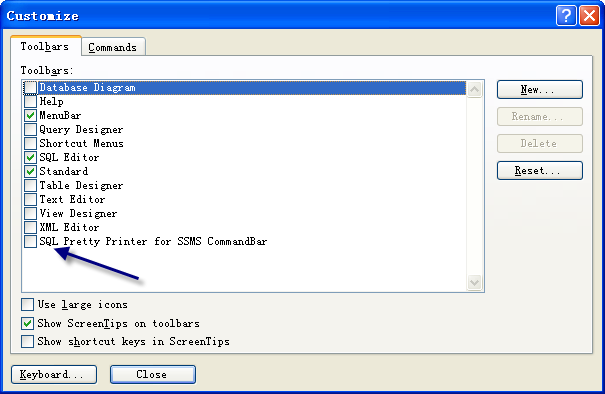
You can make SQL beautifier toolbar visible by click menu->Tools->Customize, check SQL Pretty Printer for SSMS CommandBar. (Screenshot)
Here is another article that helpful: Customize toolbar of SQL Pretty Printer Add-In in Visual Studio
Simply head over to the Download Page and uninstall previous version if any, then install the latest Version. You can upgrade to the latest version for free within the first year after you purchase this software.
If you purchase your software by way of a credit card, the serial number was sent to you via email automatically. It usually comes very quickly, but in some cases it might take up to a few days (this happens if Paypal decides to run a routine security check on your transaction). If you haven't received your key after a few minutes, please check your spam folder, then contact us and we will look it up for you.
Yes! The license for SQL Pretty Printer is tied to you, not a particular machine. Install it on any machine you own, and enjoy!